

You’ve installed Google Analytics 4 (GA4) here are 5 actionable steps you can take next.
Introduction
If you’ve ever opened GA4 and felt overwhelmed by all the charts and numbers, you’re not alone. The good news is that you don’t have to be a data expert to start making meaningful improvements. By knowing where to look and what to do with the information, you can take steps to get more leads, sales, or sign-ups from your site.
In this post, the team at Linden Digital Marketing will walk you through how to use GA4’s built-in reports to understand what’s happening on your website and how to turn that data into action that improves your conversion rate.
Step 1: Define What Counts as a Conversion
Before diving into GA4, take a moment to ask yourself: What’s the most important thing I want people to do on my website? That might be:
- Filling out a contact form
- Making a purchase
- Booking a consultation
- Signing up for a newsletter
Once you know your main goal, you can focus on the numbers that relate to that specific action.
Step 2: Review the Conversions Report
Go to Reports > Engagement > Conversions
This report shows you the actions GA4 is currently tracking as conversions. If your main goal isn’t listed here, you can create or mark an event as a conversion (for example, “form_submit” or “purchase”).
Actionable items based on what you see:
- If your site is getting traffic but low conversion counts, ask yourself if the call-to-action (CTA) is easy to find. Is the form too long? Are people bouncing before they reach it? Try moving the CTA higher on the page or simplifying the form.
- If a page has high traffic but no conversions, it may not be delivering what visitors expect. Review the content for clarity, improve your messaging, or add testimonials and trust signals.
Step 3: Check the Traffic Acquisition Report
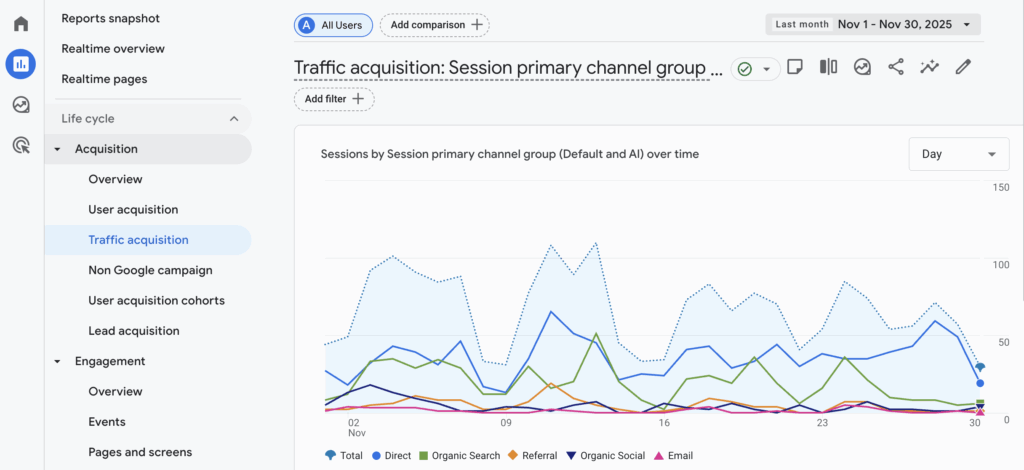
Go to Reports > Acquisition > Traffic Acquisition
This report tells you where your website visitors are coming from, including channels like Google Search, social media, email, or paid ads.
Actionable items based on what you see:
- If one channel brings in a lot of traffic but few conversions, that could mean the audience isn’t the right fit or that the landing page isn’t well-optimized. Adjust the messaging to better match the ad or referrer, or try sending users to a different page.
- If one channel brings in fewer visitors but a higher conversion rate, consider investing more time or budget into that channel. You may be missing an opportunity to scale what’s already working.
Step 4: Analyze the Pages and Screens Report
Go to Reports > Engagement > Pages and Screens
This shows you which pages people visit, how long they stay, and if they leave your site after viewing.
Actionable items based on what you see:
- If a page gets a lot of traffic but people don’t stay long, they might not be finding what they need. Add headings, simplify the copy, include visuals, or test a different layout to improve engagement.
- If an important page has a high exit rate, you may need to add a clearer CTA or a next step. Make sure every page guides the user toward your goal.
Step 5: Analyze the Pages and Screens Report
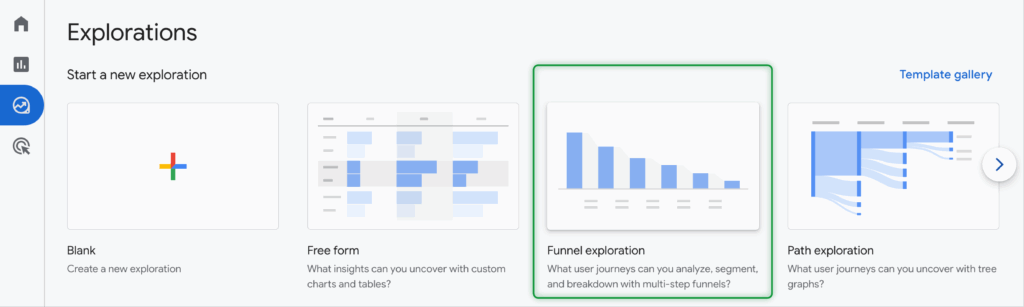
Go to Explore > Funnel Exploration
This is an optional but powerful feature that lets you create a custom funnel to see where people fall off in the process of completing a goal. For example, you could create a funnel that tracks users from the homepage to the product page to the checkout page.
Actionable items based on what you see:
- If a large number of users drop off at a specific step, there may be a UX or content issue. Make sure buttons are working, forms are simple, and page load times are fast. You can also test alternative versions of the page to see what performs better.
Final Thoughts
GA4 can feel overwhelming at first, but you don’t need to master every report to make meaningful improvements. Start with a clear goal, look at the data that relates to that goal, and take small, thoughtful actions to optimize what’s already working or fix what’s not.
At Linden Digital Marketing, we help businesses like yours cut through the noise, uncover the metrics that matter, and turn data into marketing decisions that drive results. If you want help making the most of your GA4 setup, get in touch with our team today.
Need help setting up your conversions? Contact us – we love to talk about tracking!